

If you are a life long Diablo 2 fan like myself, you were probably giddy when you saw that Diablo 2 Resurrected received a major update today called the Reign of the Warlock. You probably also immediately went online to purchase it and play. But when you converted your character(s) to the new update, you may have noticed your shared stash is empty and freaked out. Don’t worry, your items are still there, its just going to take some time to bring them to the update. Here’s how.
With the Reign of the Warlock update, Diablo 2 has been split into a couple of versions. Much like there is the classic version and the expansion version, there is now the RotW version. The RotW version has many quality of life upgrades including a new and improved stash, which is truly great. But you are probably wondering where your items are.
We have 2 options really. Because all of your current items are on the expansion version of the game, anything that is in your shared stash, will stay in your expansion shared stash, not your new RotW stash. This means you will want to transfer everything out of your shared stash if you plan to exclusively play in RotW. So here’s your two options.
Option #1: Transfer Items To Your Personal Stash Before Converting
Before you convert a character to the new update, head into a private game and transfer as much of your shared stash to that characters inventory as possible. You can fill your personal stash as well as your actual inventory. Once you have it as full as possible simply head back to the main menu, use the character select and convert to the RotW update.
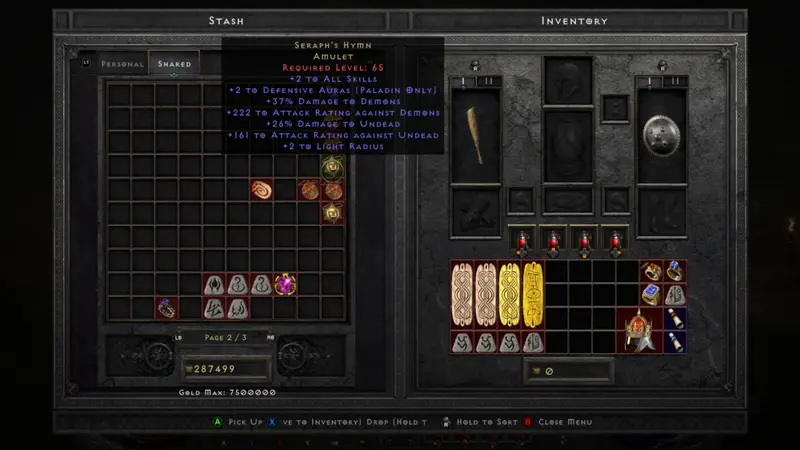
From here you will see all of your new stash options and can transfer things over to this new shared stash that will be for the new update. It’s a bit of a pain, especially if you were like me and just quickly converted all characters right away because you were just too excited to jump in. Luckily there is still a way to bring things forward
Option #2: Create New Legacy Character
If you went ahead and converted all your characters, all you are going to need to do is create a new character and make sure you press the required button to switch to a legacy character (its Y on Xbox). From there just create a character like you normally would depending on where you have your current stash of items, ie hardcore or standard. Consider this your converting mule.
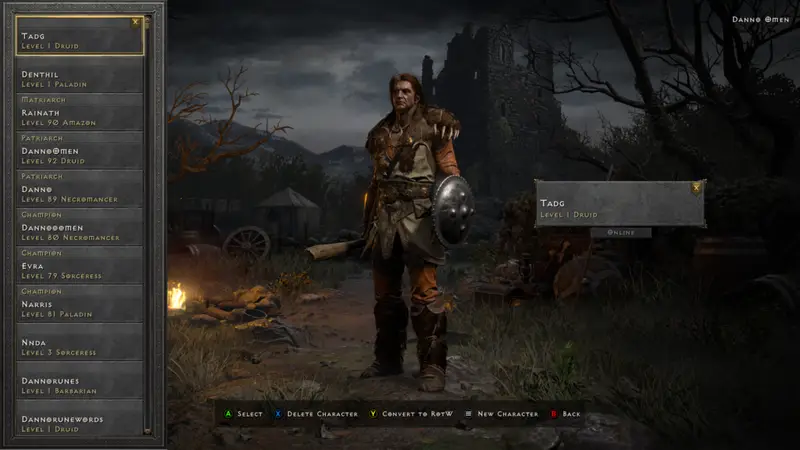
Then create a game like mentioned in option 1 and begin transferring all your items to your personal stash and inventory. Once done back out and convert this new character to the RotW update. Annoying, but easily done.
The only drawback of doing this is that you can only keep 1 Anni and 1 Torch in your personal stash/inventory, so if you have a lot of either of those items in your shared stash you are going to have to create quite a few to bring them with you.
That’s all there is to this. I hope to see you out in Sanctuary on a Baal or Diablo run and I hope this guide helped!